After Figma approved me to publish posts on Riffs, I decided to create one myself. Since it was my first Riff, I thought it would be a good opportunity to try Figma's new Shader feature. Although this was actually my second shader, the overall process and my impressions weren't much different from my first attempt.
This time, I wanted to create ice with a shader. Instead of building a detailed object with multiple layers, my goal was to see how far I could get using nothing more than a simple rectangle and a shader. So I drew exactly that—a plain rectangle with a slightly thick outline.
First iteration
Now it was time to create the shader. At the moment, Figma Shader is still in beta. You can use the built-in shaders provided by Figma or create your own through Figma AI agent.
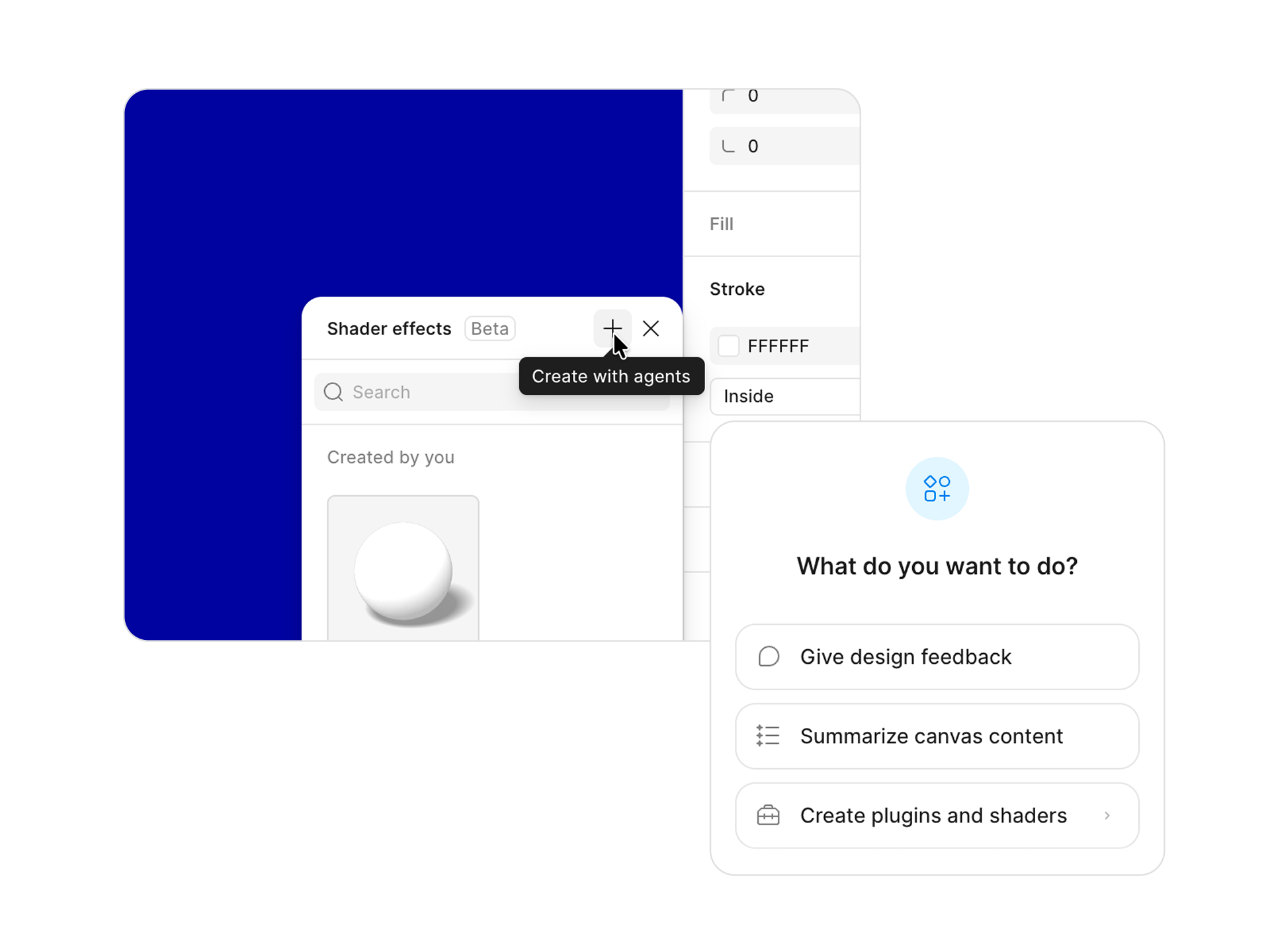
One thing I noticed is that clicking the + button to create a shader doesn't actually open a dedicated shader editor. It simply starts a conversation with Figma AI agent. Because of this, the agent may interpret your request as a general graphic design task rather than a shader-generation task. I actually ran into this during my first experiment. I clicked the + button and asked the agent to create a balloon. Since I was creating a shader, I expected it to generate one. Instead, it simply combined gradients and effects to draw a balloon.
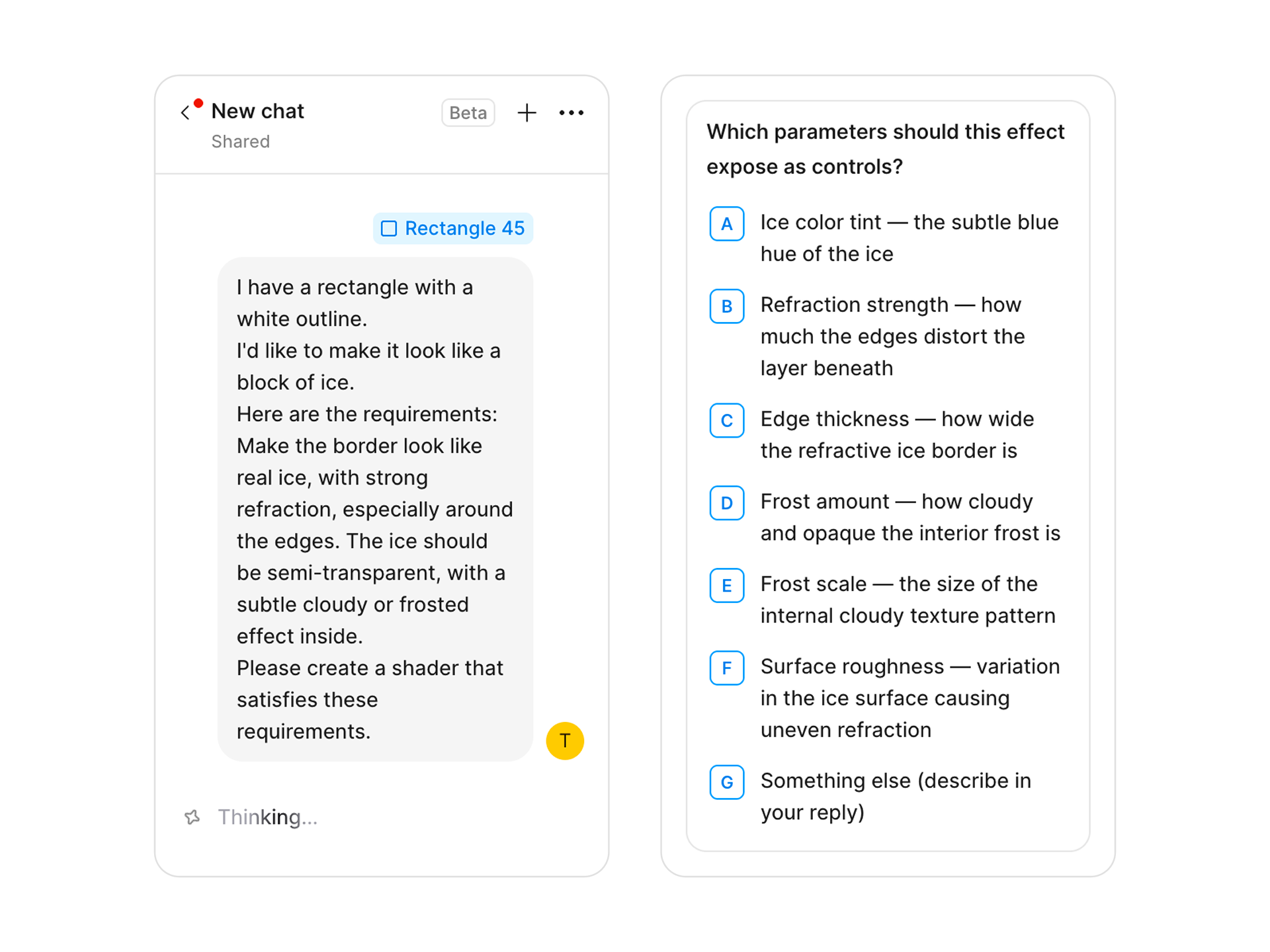
Once you submit a prompt, the agent begins planning how the shader should be implemented. The first thing it does is analyze your request and generate a list of parameters that it thinks the shader will need. It then asks you which of those parameters you actually want to expose. Most of the time, it's probably best to trust the agent's suggestions and keep all of them. However, you can also choose only a subset for testing and ask the agent to add more later. You're not limited to the generated list either—you can always request additional parameters that weren't originally suggested.
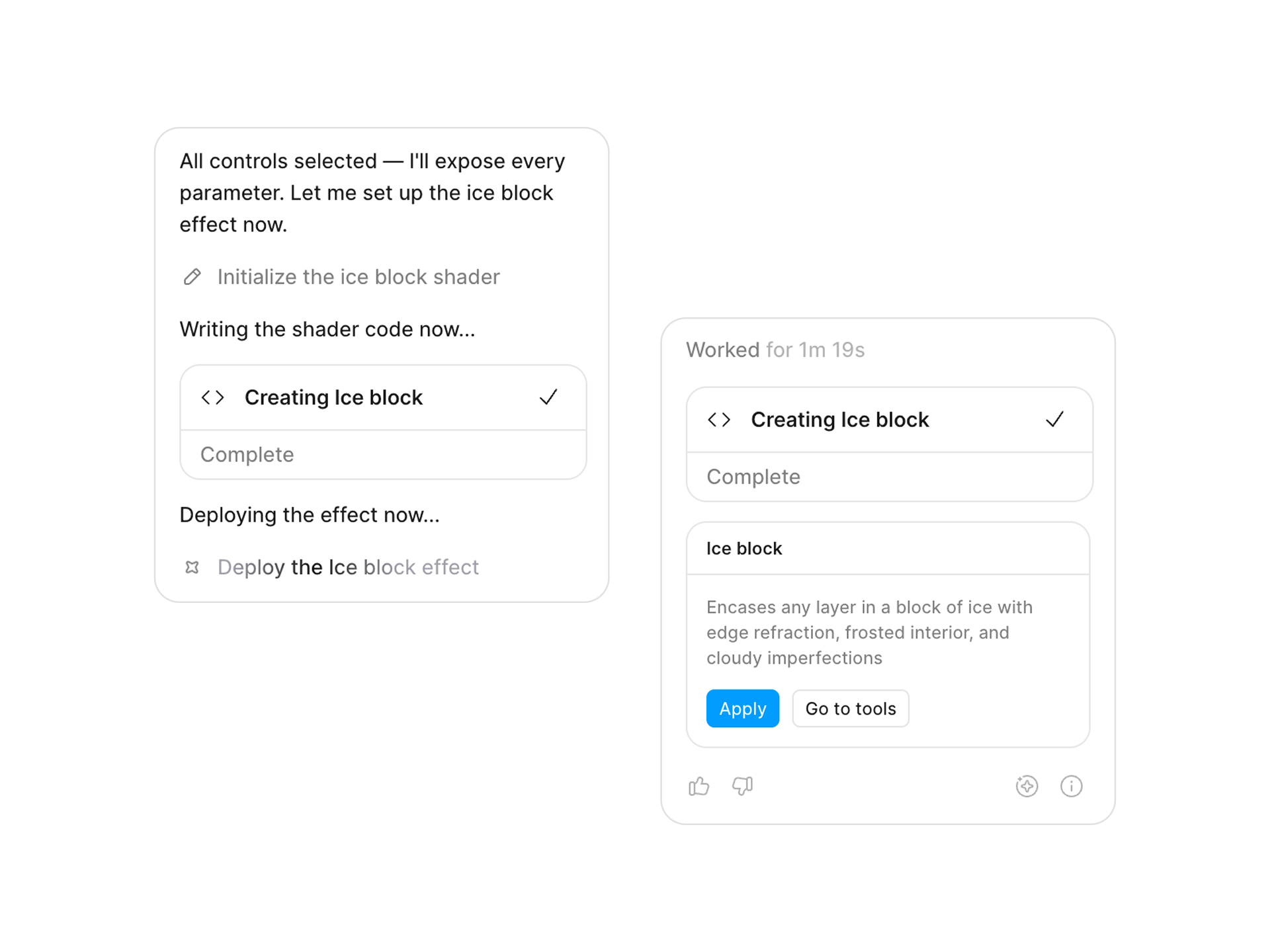
After the parameters are selected, the agent starts generating the shader. When it's finished, it displays an "Apply" button, allowing you to assign the generated shader to the object you selected at the beginning of the process.
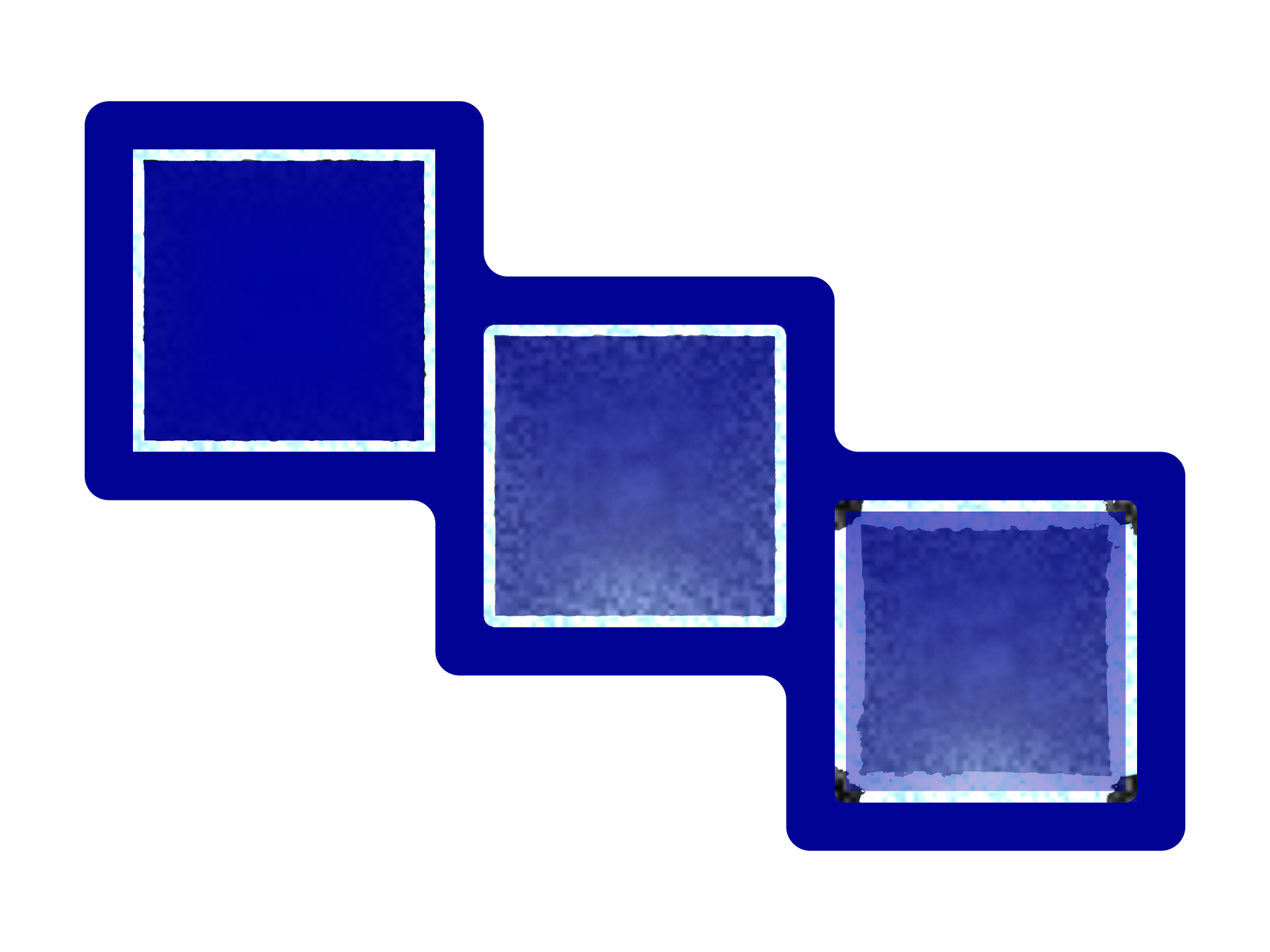
Unfortunately, the result wasn't quite the kind of ice I had imagined. Adding a small corner radius to the rectangle and placing a semi-transparent radial gradient inside it helped somewhat, but another issue immediately appeared. As soon as I increased the corner radius, the corners turned black, suggesting that the shader wasn't handling the rounded edges correctly.
Second iteration
So I described the problem in another prompt and asked the agent to improve the shader. The agent generated a revised version. Unfortunately, the new result was even stranger than before. At that point, I figured it would be easier to show the agent what I wanted rather than continue describing it with words alone.
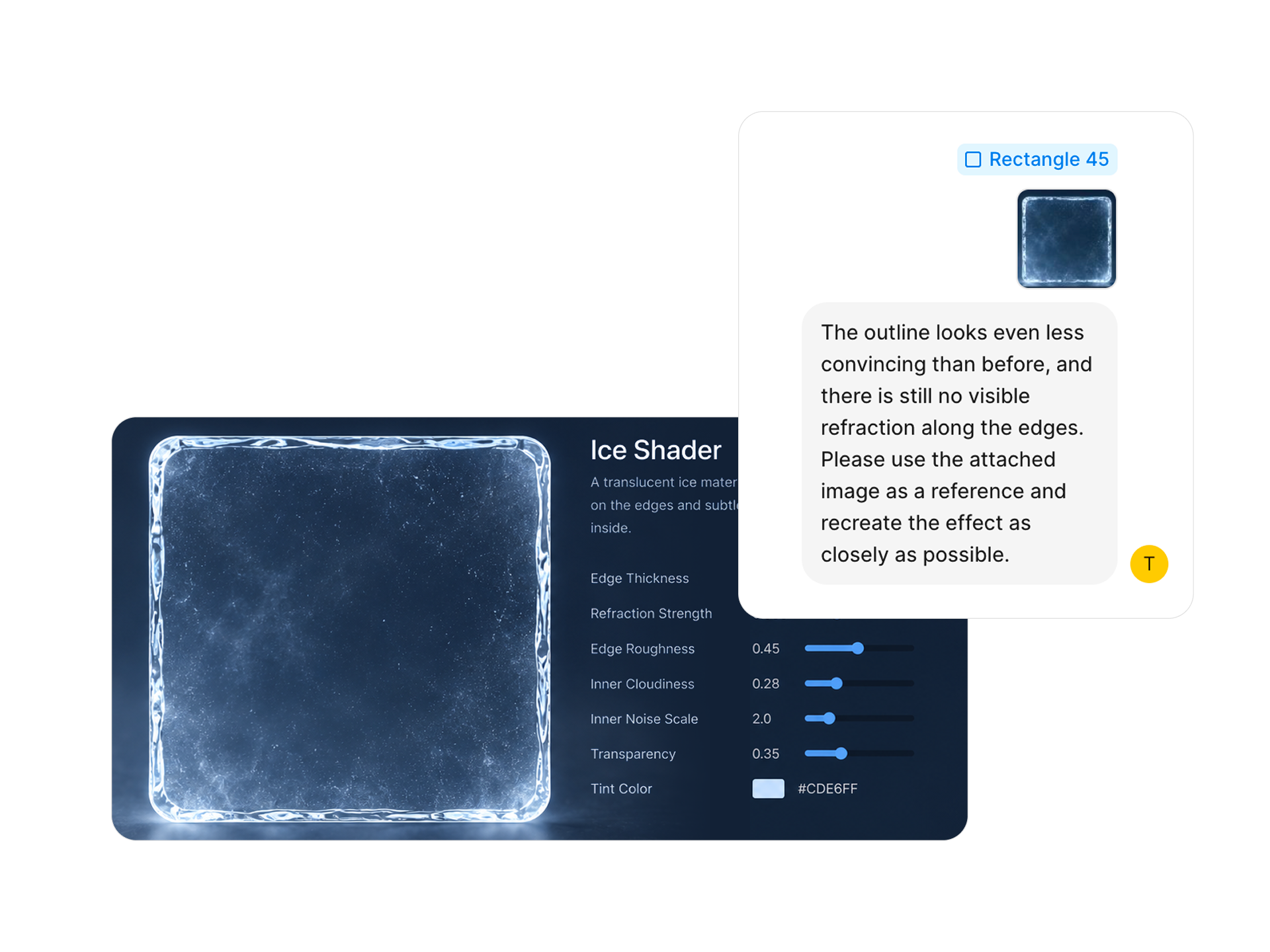
So I attached a reference image generated by ChatGPT. I hadn't asked it to generate an image—I had only wanted it to review my first prompt, but it created an image of ice instead. I then explained that the shader should produce a result similar to that example.
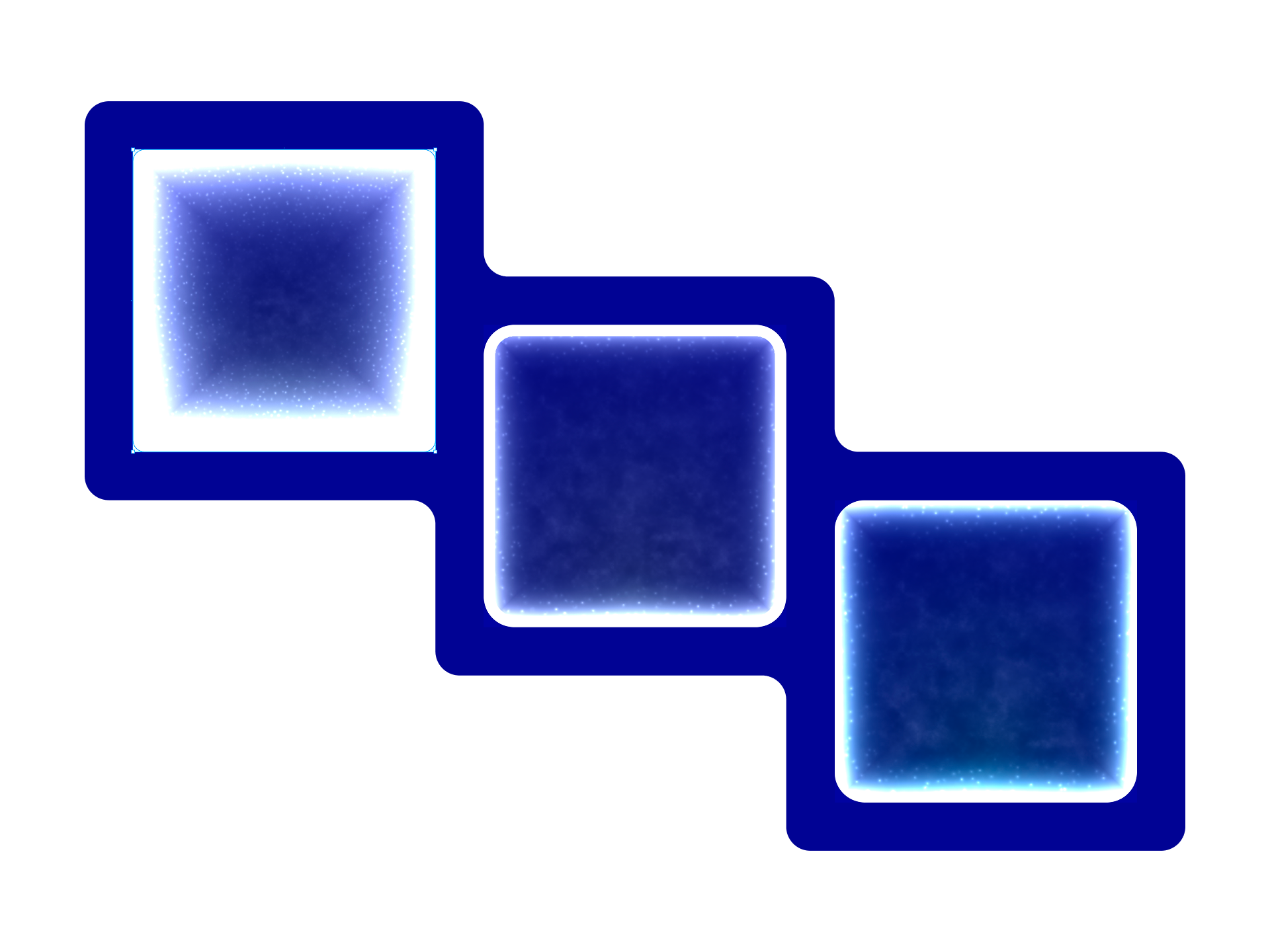
This worked much better. The generated shader looked significantly closer to what I had in mind. However, another issue appeared: even with rounded corners, the shader extended beyond the vector shape and filled the entire rectangular area. As a workaround, I placed the rectangle inside a Frame and applied the corner radius to the Frame instead. Adding a subtle cyan tint to the frosted interior also made the result feel much more like ice, although I still wasn't happy with the edges.
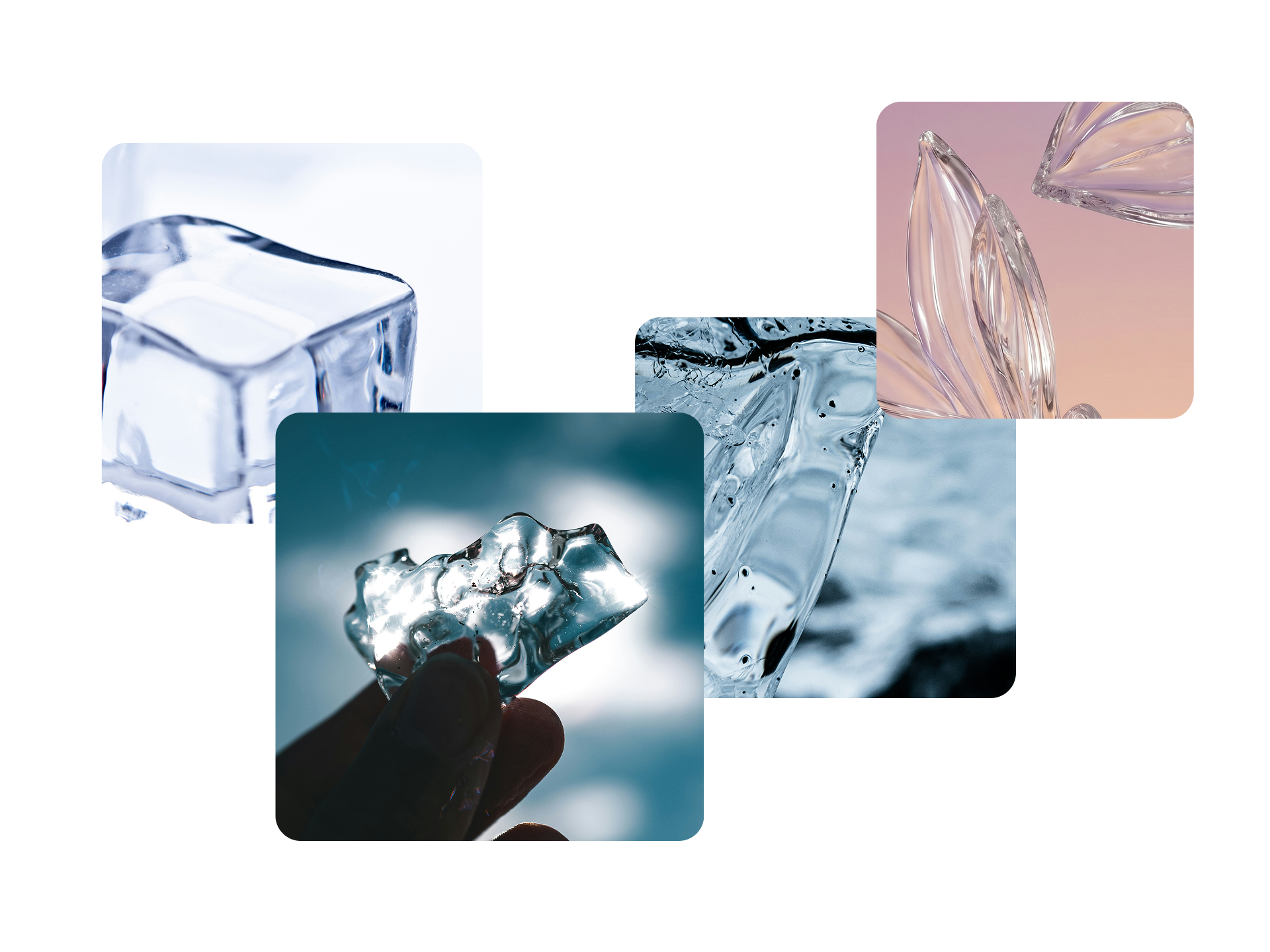
Transparent materials like ice usually contain both bright and dark refraction around their edges. The shader only produced bright highlights, so I asked the agent to add darker edge refraction as well. Unfortunately, the first revision changed almost nothing. The second attempt did produce a different result, but instead of realistic refraction, it looked more like noise applied around the border.
"I see the problem on some lines!"
One interesting thing happened during this process. The agent suddenly referred to a specific "Line." If you've ever used AI coding tools for vibe coding, that wording might sound strangely familiar. Seeing that made me wonder whether the agent actually had access to the shader source code it had generated behind the scenes.
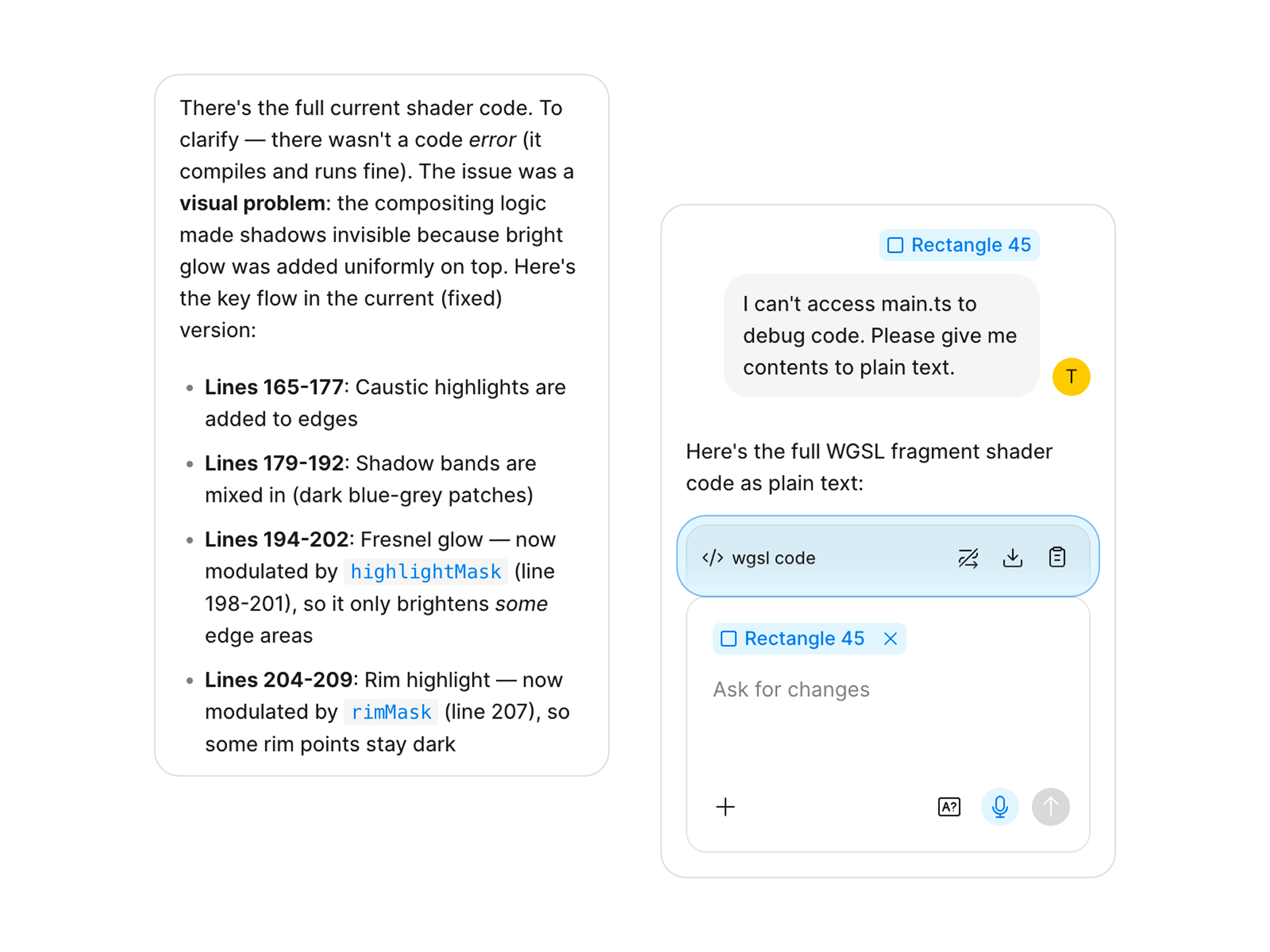
So I decided to try something. I told the agent that I needed the shader code for debugging purposes and asked it to output the entire source as plain text. To my surprise, it actually did. Instead of refusing or providing only a summary, the agent returned the complete WGSL shader code that it had generated. I wasn't expecting that at all. It was certainly one of the most interesting moments during the experiment.
Final Thoughts
Regardless, I wasn't completely satisfied with the shader itself. At the moment, creating custom shaders in Figma is only possible through the AI agent. While you can keep asking it to revise the result, you can't directly edit the shader yourself to achieve exactly the look you want. I might be able to paste the generated WGSL code back into the conversation and ask the Agent to modify specific parts of it, but I haven't tried that yet. So I can't say how practical it is.
Even so, I think the overall result was still impressive. With nothing more than a few rectangles, a shader, gradients, strokes, inner shadows, and a bit of blur, I was able to create something that looked reasonably close to ice without modeling any detailed geometry. That alone demonstrates how much potential shaders have as a visual tool.
On the other hand, the current quality of AI-generated shaders still leaves a lot to be desired. Shader effects feel somewhat similar to Photoshop-based filters in Illustrator—they significantly expand the range of visual effects that designers can create without relying on complex illustrations or 3D assets. However, I don't think the results produced by the AI agent are quite at the point of feeling "magical" yet.
For now, it still feels like a collaborative process where the agent provides a starting point rather than delivering the exact effect you're imagining. I'm looking forward to seeing how this evolves as Figma continues to improve its Shader system. Even in its current beta state, it's already an exciting glimpse into a workflow that could eventually become a standard part of visual design.